ByBit: Connection
Last Updated: 10.10.2024
Connect ByBit exchange using API key
API Key Creation
1. Log in to ByBit
Log in to ByBit or create an account https://www.bybit.com.
2. Go to the API Management section
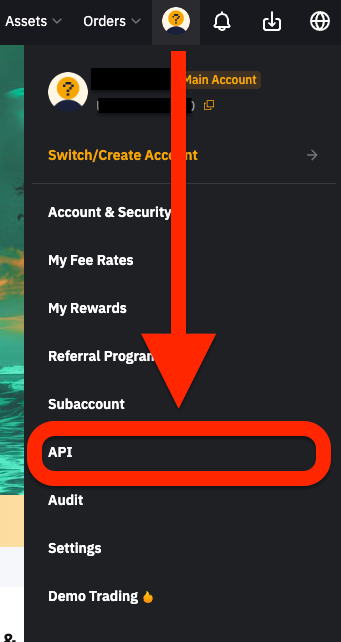
Click on your profile icon in the upper right corner and select "API Management" from the drop-down menu.
3. Create a new API key
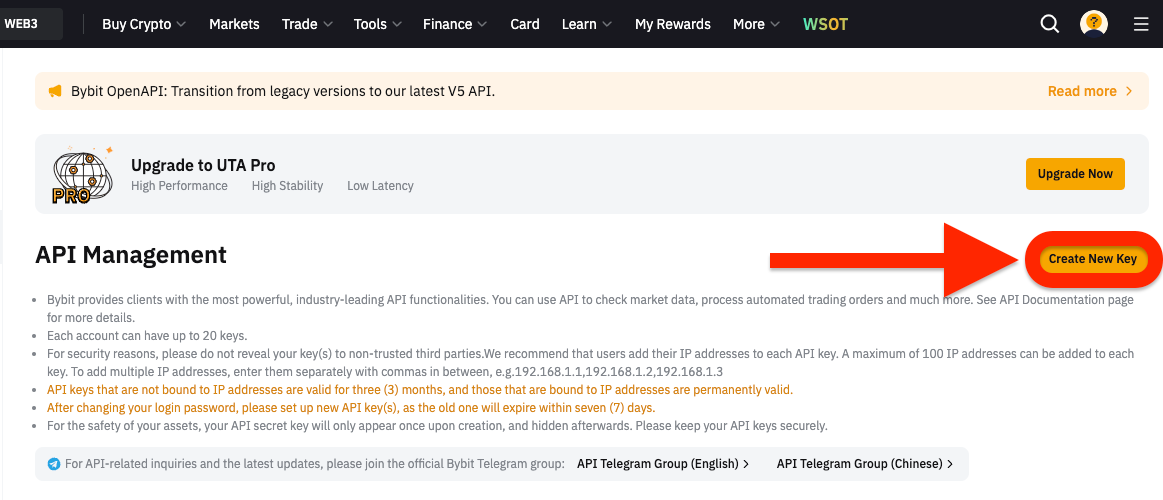
Click on the "Create API" button.
4. Set up the API key
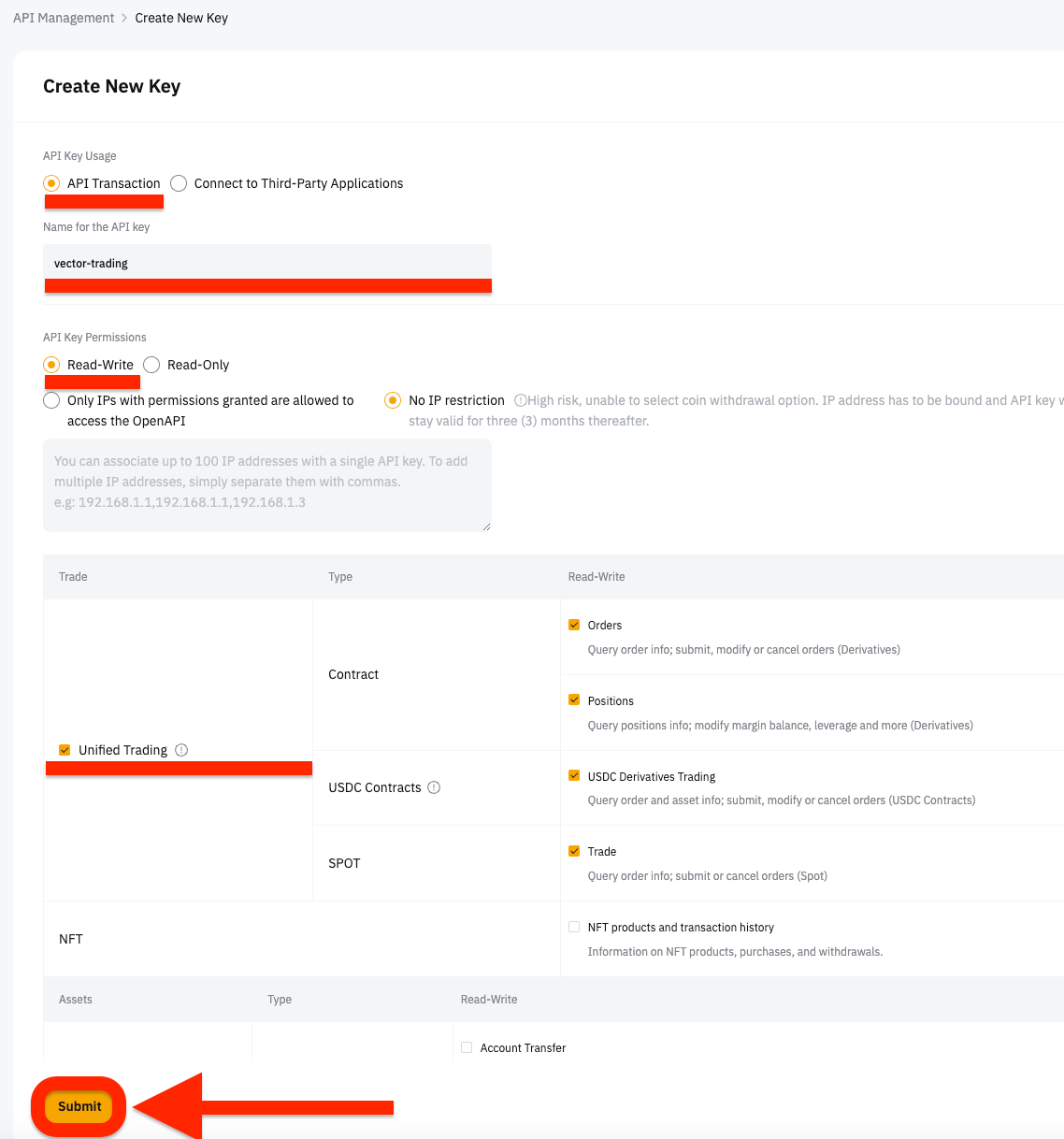
Enter the label of the API key, add trading permissions and click "Confirm".
5. Save the API Key and Secret Key
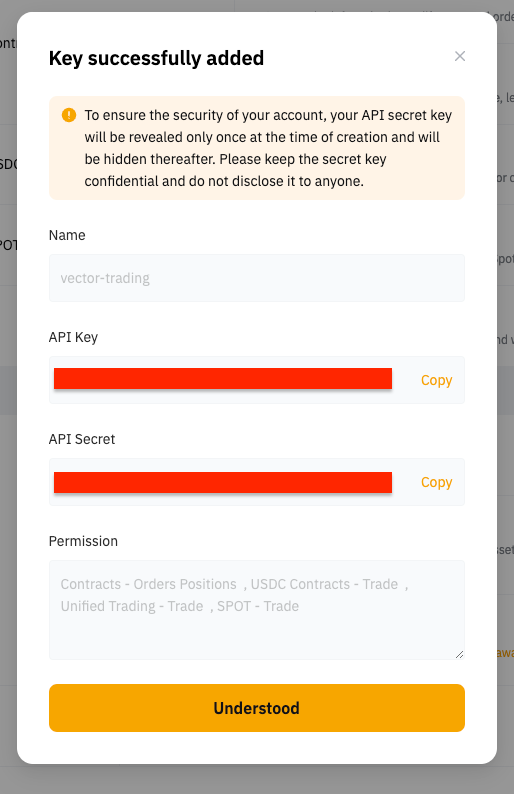
After creating the API key, you will see the API Key and Secret Key. Save them in a secure place. You will need them to connect the exchange to the Vector Trading platform.
If you have any questions or need assistance, please contact us.